
Set your selling prices and profit margin
You set the prices your customers pay in the Unitward panel. The difference between your selling price and your cost is your profit. Open Settings > Manage Products and Pricing.
Before you start
- An active Unitward reseller account.
- Your cost prices are filled in by Unitward. You choose the customer price.
Step 1Open Manage Products and Pricing
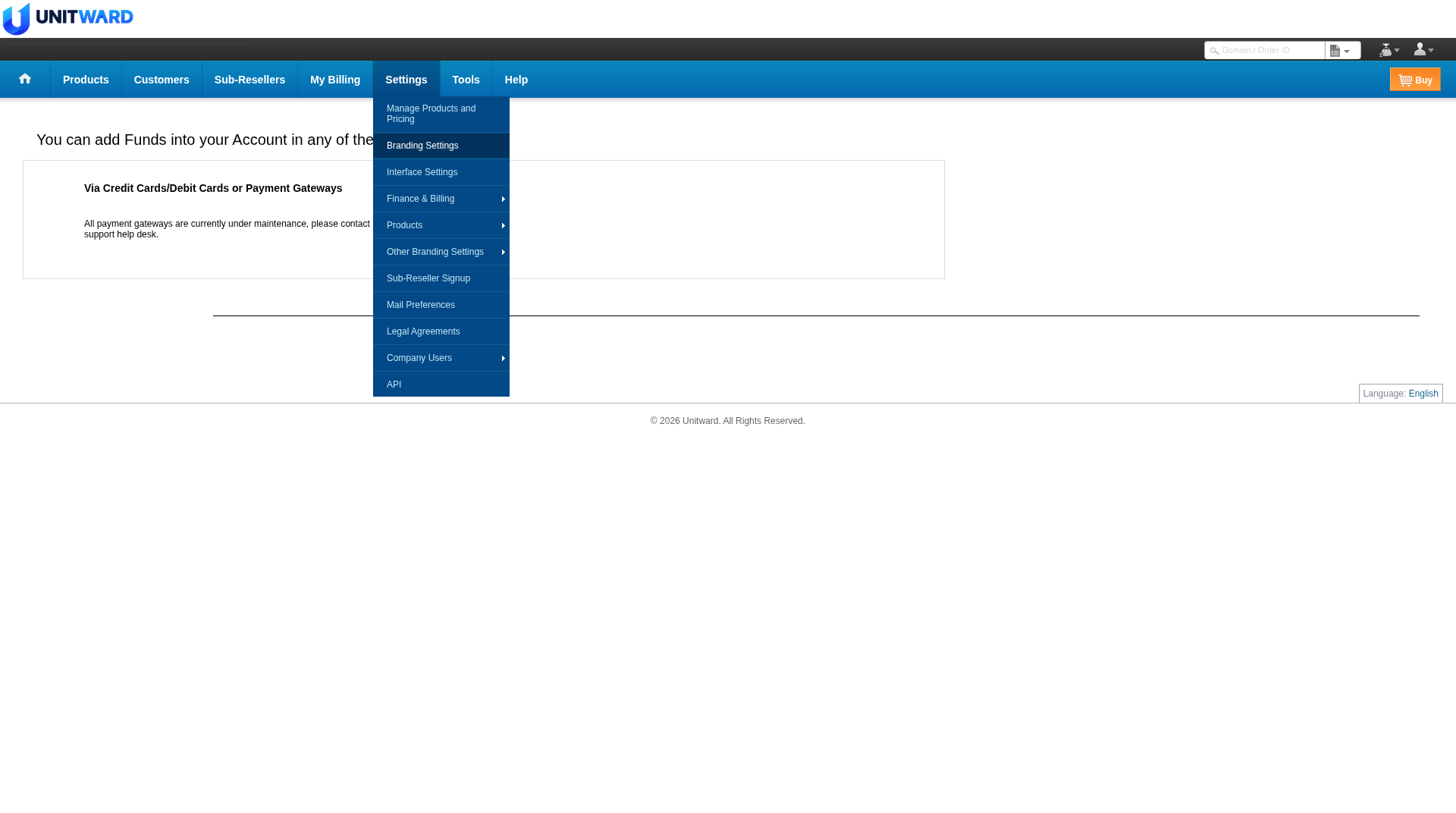
Sign in at https://unitward.manage-orders.com. Open Settings, then click Manage Products and Pricing.
Step 2Choose a product group
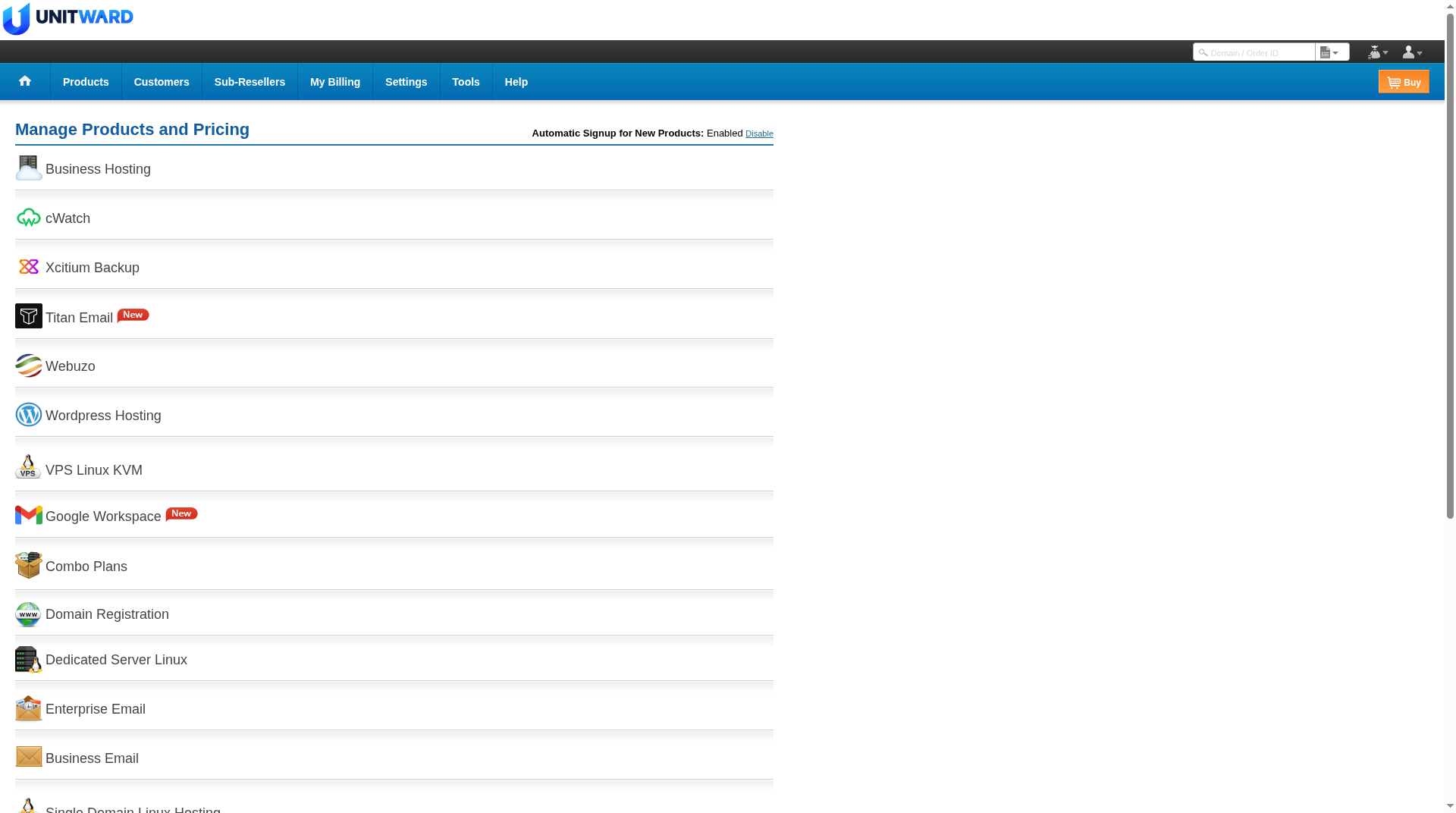
The main page lists product groups, such as Domain Registration, Business Hosting and email products. Open the group you want to price.
Step 3Set the selling prices
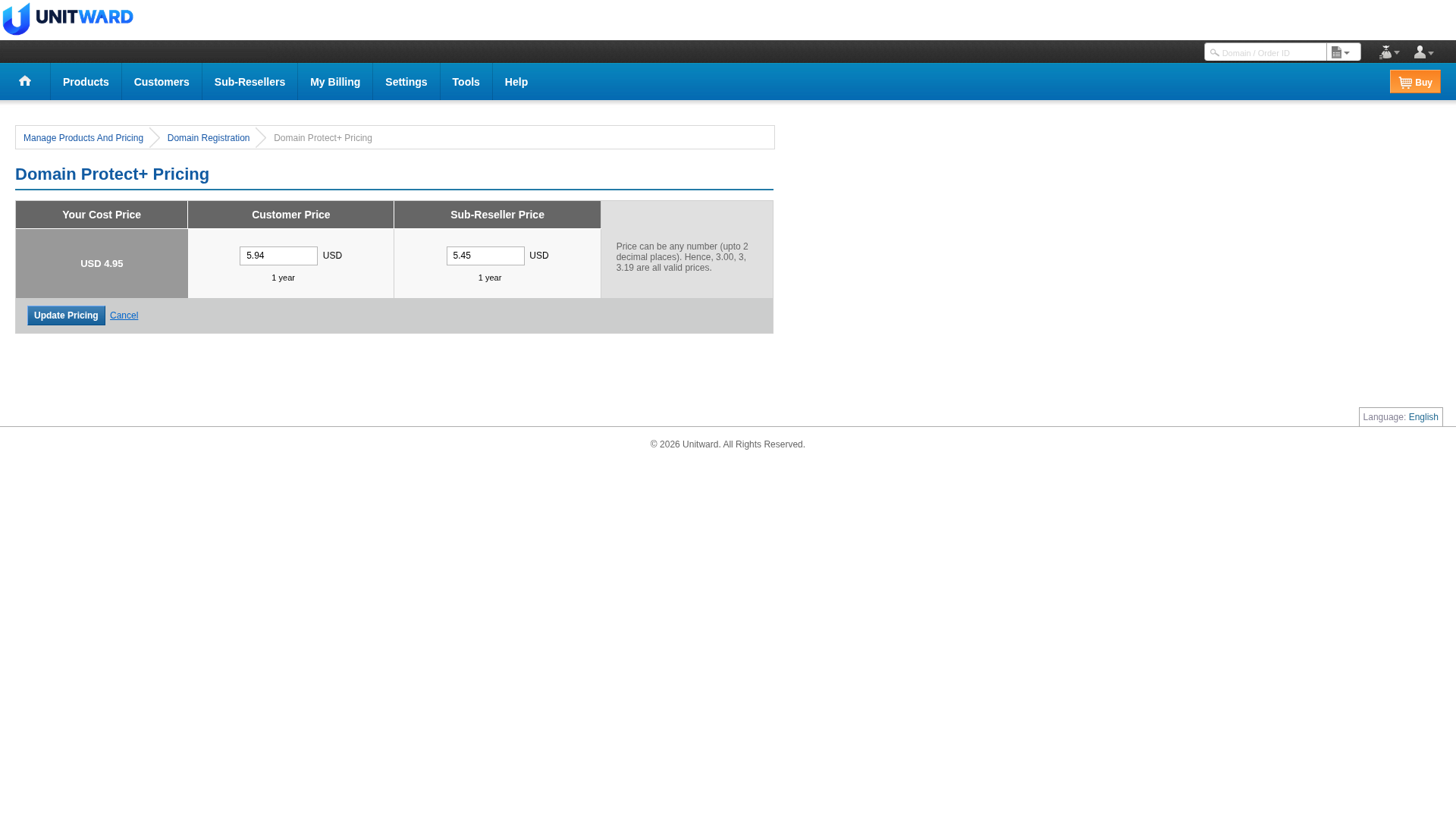
For the product you choose, set the selling prices, then click Update Pricing. You will see Your Cost Price, Customer Price and Sub-Reseller Price. Customer Price is what your customers pay. Keep it above your cost so you make a profit.
This example is Domain Protect+ (domain privacy), opened from Domain Registration. The cost is USD 4.95. The customer price is set to USD 5.94 per year, and the sub-reseller price is set to USD 5.45 per year. These figures are from a test account. Use the fields as a guide and set your own prices. Do not copy these numbers unless they work for your business.
Step 4Custom price for one customer, if the option appears
Some accounts include a custom price option on a customer's record under Customers. If you see that option, you can set a price for that customer only. If you do not see it, write to [email protected].
✅ You know how to set selling prices
Set each product above your cost so you keep a margin. Treat any sample figures as examples only.